One-time payment. Price shown in US Dollar.
- Source code delivered instantly
- Free future updates
- Support 6 months
- Secure checkout
Prefer it deployed for you?
Setup, customization, and deployment as a service.
Boutique Bloom - Fashion E-commerce Website with POS & Inventory
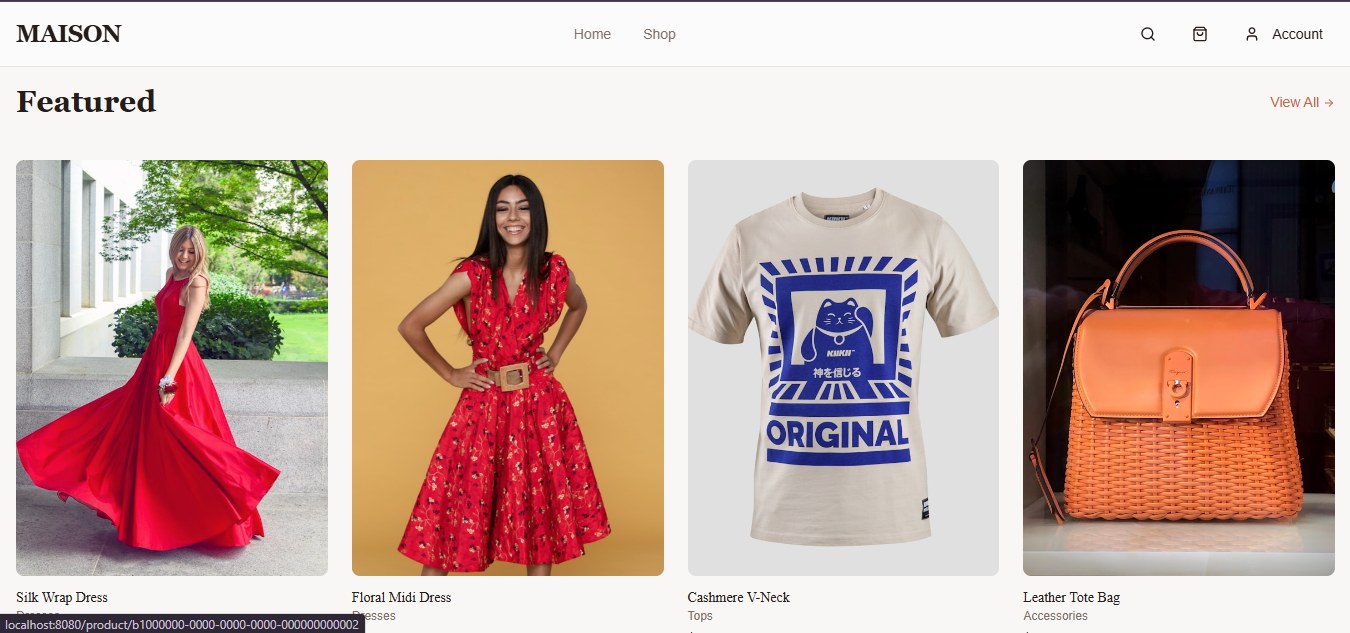
Boutique Bloom is a fashion boutique e-commerce and shop management system built for clothing stores, fashion boutiques, accessory shops, and small retail businesses that need both an online storefront and an internal admin workspace. The public storefront includes a stylish homepage, featured products, new arrivals, category browsing, product search, sorting, product detail pages, image galleries, size and color variants, cart, checkout, order confirmation, customer sign-in, and account order history. The protected admin area supports real shop operations with product management, category management, product image galleries, stock variants, low-stock monitoring, POS sales, sales records, suppliers, purchase orders, inventory adjustments, dashboard metrics, and role-based access for admin and staff users. The system is built with React, TypeScript, Vite, Tailwind CSS, shadcn/ui, Supabase Auth, Supabase database tables, Row Level Security policies, and Supabase storage for product images.
Quick facts +
Demo information +
Status: online
No live demo URL was provided yet. After deployment, use the public storefront URL as demo_url and add admin login instructions if demo credentials are created. Admin area path: /admin after login.
Features +
Tech stack +
Who is this for? +
Fashion boutiques, clothing shops, accessory stores, small retail businesses, online fashion sellers, boutique owners, and retail teams that need a stylish online shop plus admin tools for products, inventory, POS sales, suppliers, and purchase orders.
What’s included +
- Complete React + TypeScript source code
- Vite frontend project
- Tailwind CSS and shadcn/ui components
- Storefront pages
- Admin dashboard pages
- Authentication hooks
Requirements & installation +
Requirements
- Node.js 18 or newer
- NPM or Bun package manager
- Supabase project
- Supabase Auth enabled
- Supabase database migrations applied
Installation
- 1 Extract the source code package
- 2 Run npm install
- 3 Copy .env.example to .env
- 4 Add your Supabase project URL and publishable key
- 5 Run the Supabase migrations in the supabase/migrations folder
- 6 Create the first admin user in Supabase Auth
- 7 Assign the admin role in the user_roles table
- 8 Run npm run dev for local testing
- 9 Run npm run build for production
- 10 Upload the dist folder to your hosting or deploy through your preferred frontend host
Support & delivery +
Support included: Yes
Updates included: Yes
Duration: 6 months
Delivery method: Source code download + Supabase migrations + setup documentation
Scope: Buyer receives the deploy-ready source package and setup notes. Custom branding, deployment, Supabase setup, payment gateway integration, and additional feature customization can be offered as paid services.
You may also like